Contents
 Receiving a legal notice can be an intimidating experience. Whether it’s regarding a property dispute, a matrimonial issue, or a business disagreement, the official-looking document often leaves people feeling panicked. The stakes are even higher with the implementation of the Bharatiya Nyaya Sanhita (BNS) and Bharatiya Nagarik Suraksha Sanhita (BNSS).
The most important thing to remember is: A legal notice is not a court order. It is an invitation to resolve a dispute. How you respond to that invitation determines whether you end up in a long-drawn-out court battle or settle the matter peacefully.
🛠️ Use the Legal Notice Response Generator
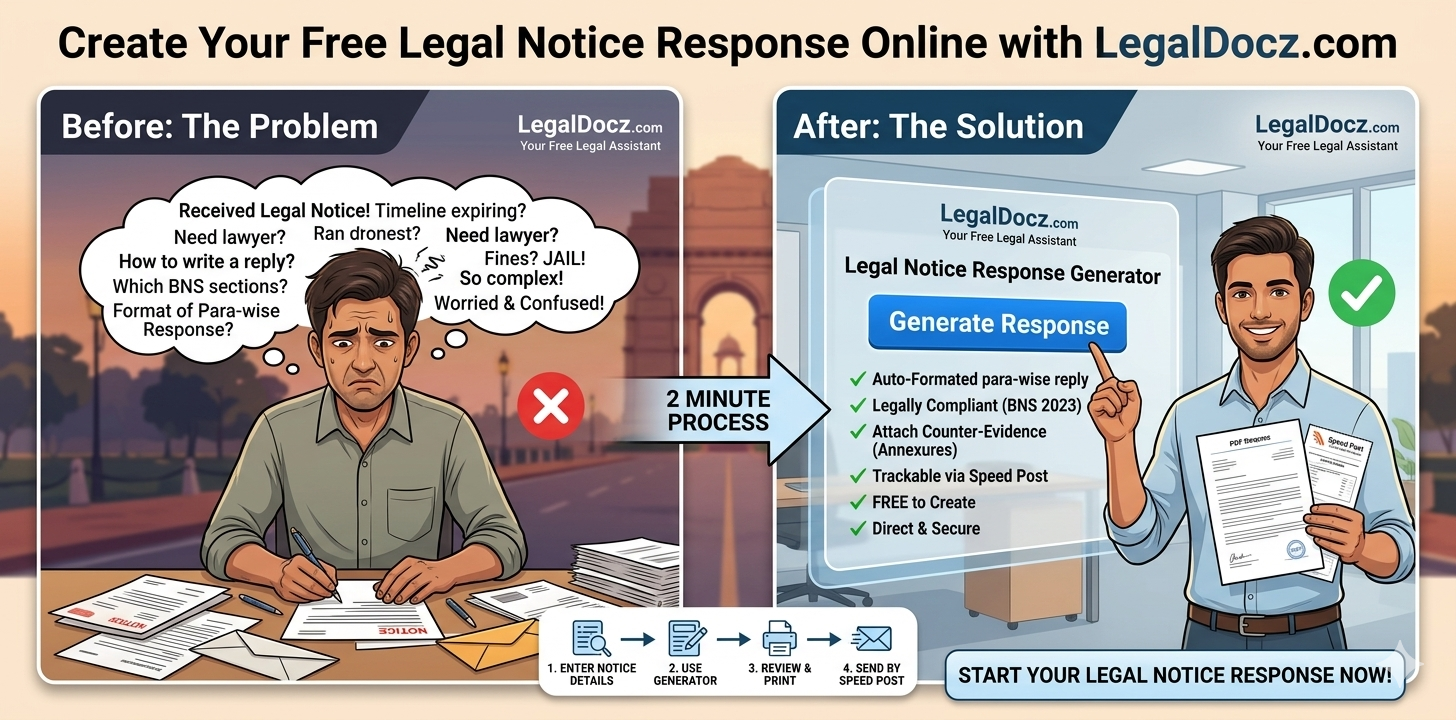
Why spend hours worrying about the right “legal language” or paying high fees for a simple draft? Our Legal Notice Response Generator at LegalDocz.com is designed to create a legally sound, para-wise reply based on your specific facts.
How it works:
-
Input the Notice Details: Enter the date you received the notice and the sender’s details.
-
Point-by-Point Reply: Address each allegation mentioned in the original notice.
-
BNS Compliance: The tool automatically suggests relevant sections of the Bharatiya Nyaya Sanhita (BNS) to strengthen your defense.
-
Download & Send: Get a professional PDF ready to be printed and sent via Speed Post.
The Legal Importance of a “Para-wise” Reply
In Indian law, the standard way to respond to a notice is a “para-wise” reply. This means you must address every single paragraph of the notice you received.
If a paragraph says “The parties entered into an agreement on Jan 1st,” and it’s true, you admit it. If it says “The party failed to pay ₹1 Lakh,” and it’s false, you must explicitly deny it. Our generator is built on this specific logic, ensuring that no allegation goes unanswered. Under the new laws, an unanswered allegation can be treated as an “admission by silence” in court.
Relevant BNS Sections for Your Response
Your response should reflect the current legal landscape. Depending on the notice you received, our generator helps you reference:
-
BNS Section 318(4): Use this to deny allegations of “Cheating” (replaces IPC 420).
-
BNS Section 316: Use this to defend against “Criminal Breach of Trust” (replaces IPC 406).
-
BNS Section 351: Use this if you are being accused of “Criminal Intimidation” (replaces IPC 506).
-
BNSS Section 35(3): If you received a notice from the police, this section is used to confirm your cooperation with the investigation to avoid arrest.
5 Critical Rules for Sending Your Response
1. Respect the Timeline: Most notices give a 15 or 30-day window. If you miss this, the sender can immediately file a case. Our tool helps you generate the response instantly to beat the clock.
2. Proof of Service is Everything: Always send your response via Speed Post or Registered Post AD. Keep the receipt. In court, the “Tracking Report” is your only proof that you actually replied.
3. Stick to Facts, Not Emotions: A legal response is a technical document. Avoid calling the other party names. State the facts clearly: “The payment was made on X date via UPI,” rather than “The sender is a liar.”
4. Digital is Secondary: You can WhatsApp or Email your response for speed, but the Physical Copy via post is what the judge will look for.
5. Keep a Copy of the Envelope: If the sender’s notice came in an envelope, keep it. The postmark on that envelope is the legal proof of when you actually received it, which might be different from the date written inside the letter.
Frequently Asked Questions (FAQs)
1. Can I use this generator for a Cheque Bounce reply? Yes. While we have a specific Section 138 reply tool, the General Response Generator can be customized to deny liability in cheque bounce cases as well.
2. Do I need to print the response on Stamp Paper? No. A legal notice response is usually printed on plain A4 paper or professional letterhead. Stamp paper is not required for a reply.
3. Is the generator really free? Yes, at LegalDocz.com, we provide basic legal notice formats and generators for free to help citizens access the law without barriers.
4. What if I don’t know the BNS sections? Don’t worry. Our generator has a “Guided Mode” where you simply describe the dispute, and it suggests the relevant sections for you.
5. Can a response stop a police case? A well-drafted response to a legal notice can often convince the other party that you have a strong defense, leading them to settle rather than filing a police complaint (FIR).
6. Should I send the response to the lawyer or the person who sued me? You should send it to the Advocate who signed the notice. It is also a good practice to send a copy to the person (the client) directly.
7. Can I add my own evidence to the generator? Yes, our tool allows you to mention “Annexures” (like bank statements or photos) that you will be attaching to your physical mail.
8. What is “Adverse Inference”? If you don’t reply to a notice, the court can draw an “Adverse Inference,” meaning it can assume the sender’s story is true because you didn’t bother to deny it.
9. Can I change my response later? It is very risky. Your reply is a permanent legal record. This is why using a structured generator is safer than writing a random letter.
10. Do I need to go to a Notary for the response? No. A simple signature by you (the respondent) is sufficient for a legal notice reply.
Why LegalDocz.com?
We believe that everyone deserves a fair chance to defend themselves. Our Legal Notice Response Generator removes the “Fear Factor” from the law. By combining automated drafting with the latest BNS 2023 updates, we ensure that your first step in a legal battle is a strong, professional, and confident one.